Cybersecurity for the wealthy: Protecting yourself from scams. Discover the 5 security layers for high-balance 401(k) and brokerage accounts.
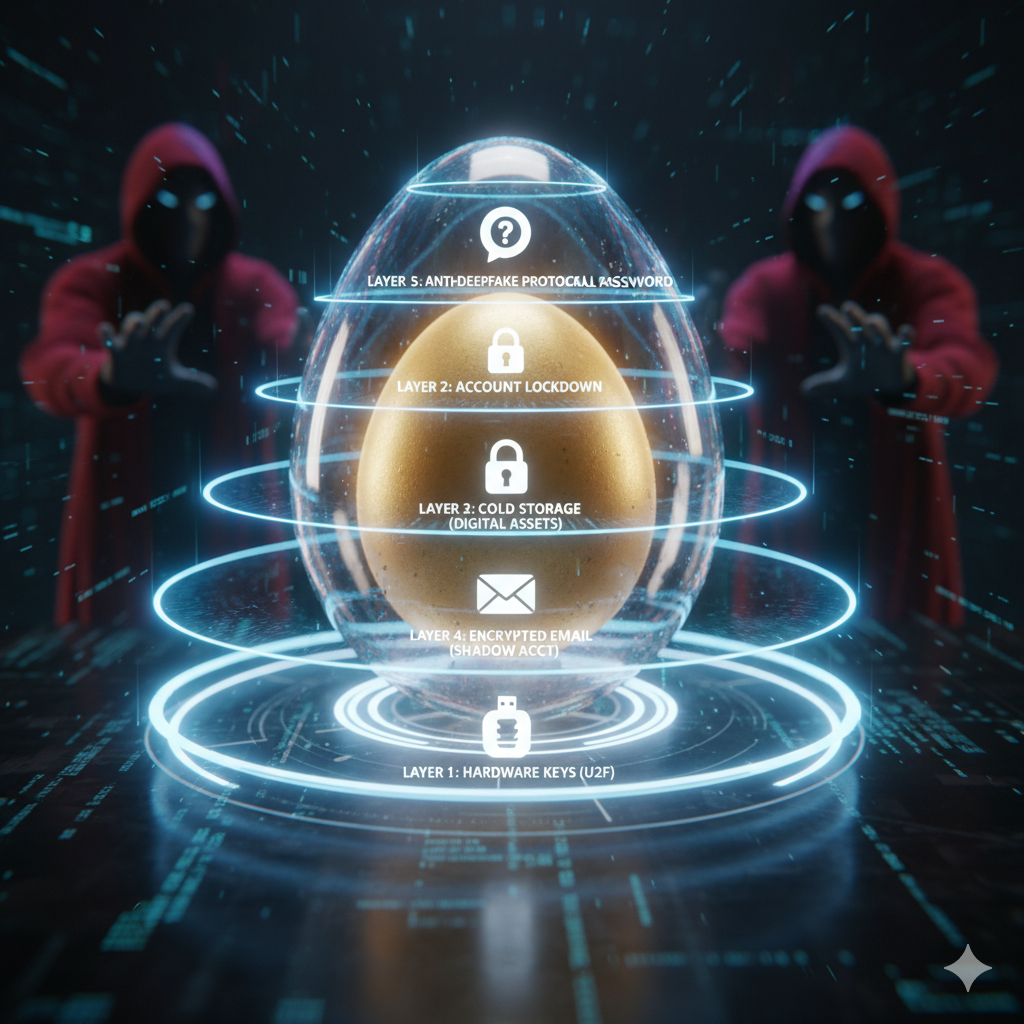
You’ve spent years living frugally, maximizing your 401(k) contributions, and mastering the art of the Roth conversion ladder. You’ve finally hit the number. But here’s the cold, hard truth: hitting your financial independence goal doesn’t just make you free; it makes you a high-value target.
Nowadays, the “bad guys” aren’t just looking for credit card numbers. They are hunting for “whale” accounts; the high-balance brokerage and 401(k) accounts that represent someone’s entire life’s work. As the FIRE community grows, so does the sophistication of the attacks against us.
If you’re planning to live off your assets for the next 40 years, you can’t afford a single catastrophic security breach. Traditional “strong passwords” and basic text-message codes aren’t enough anymore. It’s time to move past basic digital hygiene and start thinking like a private family office. Here is how to build a digital fortress around your nest egg.
Why FIRE seekers are specific targets
Financial Independence (FIRE) usually means having a high “investable asset” to “income” ratio. Unlike a high-earning executive who can rely on next month’s paycheck if things go south, a FIRE retiree relies entirely on the principal.
Hackers know that once you stop working, you are more likely to manage your own accounts rather than having a corporate IT department watching your back. Furthermore, the 2026 landscape is full of AI-driven “deepfake” phishing. Scammers can now clone the voice of your spouse or a Vanguard representative to trick you into authorizing a wire transfer.
Layer 1: The hardware “Kill Switch” (U2F keys)
If you are still using SMS (text message) codes for two-factor authentication (2FA), you are vulnerable to SIM swapping. This is where a hacker convinces your cell provider to port your number to their device, giving them total control over your “secure” codes.
The gold standard nowadays is the Hardware Security Key (like a YubiKey or Google Titan). This is a physical USB or NFC device that you must physically tap to log into your brokerage or 401(k).
- Why it works: Even if a hacker has your username, password, and clones your phone, they cannot get into your account without that physical piece of plastic in your hand.
- The Pro Move: Register two keys; one for your keychain and one locked in a fireproof safe as a backup.
Layer 2: The “vault” strategy for Brokerage Accounts
Most major brokerages (Fidelity, Schwab, Vanguard) now offer “Account Lockdown” or “Money Transfer Lockdown” features.
- How it works: Once enabled, all outbound transfers of securities or cash to third-party accounts are blocked.
- The Friction Benefit: If you need to move money, you have to go through a multi-step verification process (often involving a phone call with a human) to lift the lock. In the world of cybersecurity, friction is your friend. It gives you time to catch a fraudulent attempt before the money hits an unrecoverable offshore account.
Layer 3: Cold storage for digital diversification
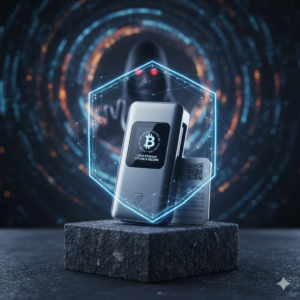
If part of your FIRE strategy involves digital assets like Bitcoin, Ethereum, you need to understand Cold Storage. Storing six figures of assets on an exchange or a “hot” phone wallet is a disaster waiting to happen.
- The method: Use a hardware wallet (Ledger, Trezor, or BitBox) that keeps your private keys completely offline.
- The rule: If it’s not in a hardware wallet, it’s not “saved”; it’s just “on loan” to the platform you’re using.
Layer 4: Defensive email architecture
Your primary email address is the “skeleton key” to your entire financial life. Most of us use the same email for Netflix that we use for our $1.5M 401(k). That’s a mistake.
- Shadow Accounts: Create a dedicated, “silent” email address used only for your top-tier financial accounts. Never use this address for newsletters, shopping, or social media.
- Encrypted Providers: Move your financial communications to a provider like ProtonMail or Tuta, which offers end-to-end encryption. This prevents hackers from “scraping” your inbox for account statements or password reset links.
Layer 5: Thwarting the AI deepfakes
In 2026, a “call from your bank” might actually be an AI bot.
- Establish a “Family Passphrase”: If you or a family member ever calls to request an emergency money transfer, have a secret word or phrase that must be spoken to verify identity. If the person on the other end can’t provide it, hang up immediately.
- The “Call-Back” Rule: Never trust an incoming call from a financial institution. If they say there is a problem, thank them, hang up, and call the official number on the back of your debit card or the official website
The psychological fortress
The biggest vulnerability isn’t your software; it’s your urgency. Scammers rely on making you feel panicked; “Your account has been compromised! Move your funds to this ‘safe’ wallet now!”
Legitimate financial institutions will almost never pressure you to move money immediately via a phone link. If you feel your heart rate rising during a financial conversation, pause. Take five minutes to breathe. The five minutes you take to double-check the URL or the sender’s email address is what saves your retirement.
Building this digital fortress might take you a weekend of annoying setup, but compared to the decades you spent earning that money, it’s the highest-ROI work you’ll ever do.
FAQs: Cybersecurity for the FIRE community
1. Is a password manager still necessary if I have a hardware key? Absolutely. You still need unique, complex passwords for every site. A manager like Bitwarden or 1Password ensures you aren’t reusing passwords, which is the #1 way “credential stuffing” attacks work.
2. What happens if I lose my Hardware Security Key (YubiKey)? This is why you always buy two. You register both with your accounts. If you lose one, you use the backup to log in and de-register the lost one. Most sites also provide “recovery codes”; print these out and put them in a physical safety.
3. Does my 401(k) provider even support hardware keys? Not all of them do yet, but the landscape is changing fast in 2026. If they don’t support YubiKeys, use an Authenticator App (like Authy or Google Authenticator) instead of SMS codes. It’s the next best thing.
4. Is “Cold Storage” only for Bitcoin? Technically, yes, hardware wallets are for digital assets. However, you can apply the “cold” concept to your traditional life by keeping your most sensitive account info on a physical piece of paper or an encrypted USB drive that is never plugged into a computer with internet access.
5. How often should I “audit” my security layers? Treat it like a fire drill. Every six months, check your 2FA settings, update your passwords, and ensure your “Account Lockdown” features are still active. Technology moves fast; your defenses need to move faster.
The information provided in this article about FIRE Cybersecurity is for informational and educational purposes only and does not constitute financial, legal, or investment advice. While efforts are made to ensure accuracy, Retire ASAP makes no guarantees regarding completeness or applicability to individual circumstances. Readers are encouraged to consult a qualified professional before making any financial decisions.